When GPS location adds real peace of mind for older family members
Understanding when location tracking helps keep older adults safe
For many families, the question of when an elderly GPS tracker becomes useful is not about the technology itself but about the real-world situations it addresses. A wearable device that shares location data can shift from being a "nice to have" to a genuine tool for safety when an older person lives independently, enjoys walking, or has health conditions that might cause confusion or falls. The value lies in how the information is used - not just knowing where someone is, but being able to respond quickly if something goes wrong.
GPS location in a wearable medical alarm works by communicating with satellites to determine the wearer's position. That position is then sent through a mobile network to a monitoring service or directly to trusted family members. In New Zealand, where many older adults enjoy an active outdoor lifestyle or live in rural areas, having this feature means help can be dispatched to the exact spot, not just a home address. It removes the guesswork that can cost precious minutes during an emergency.
Everyday situations where location matters most
Consider someone who likes to walk the same route every morning. They might have walked it for years, but age can bring changes in stamina, eyesight, or memory. If they take a wrong turn or feel unwell, a device with GPS lets a family member see their location and check in without calling and intruding. The same applies to a trip to the local shops or a visit to a friend's house. These are routine outings, but they become risky if the person gets disoriented or has a fall.
When an older person lives alone, the worry is not just about a fall inside the home. It is also about safety while out and about. A wearable with GPS means that if they do not return at the expected time, a family member can see whether they are still at the park, on a different street, or stationary near a curb. That information removes the long, anxious wait and tells the family exactly what to do next.
The role of fall detection combined with location
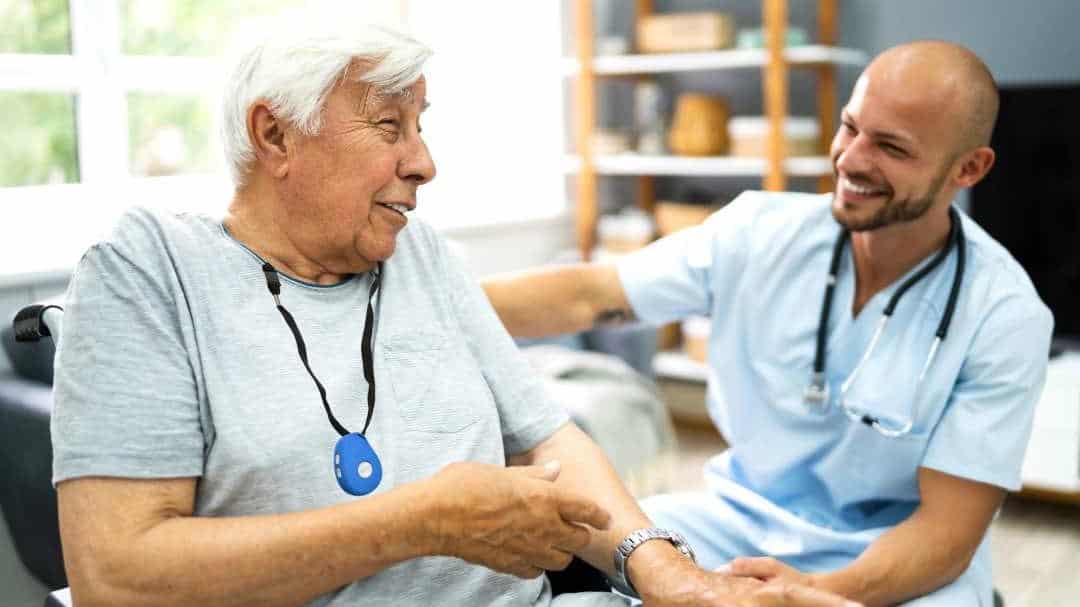
Fall detection is another key feature that works hand in hand with GPS. Many devices, including those offered by Familyr, automatically detect a hard fall and send an alert with the wearer's location. This is especially valuable because a fall can leave someone unable to press a button or speak. Without location data, emergency services would have to search a broad area. With it, they can arrive at the precise spot, whether that is a walking path in a reserve or a backyard garden.
The combination of automatic fall alerts and GPS means the device does not rely on the person remembering to ask for help. That matters a great deal for older adults who are proud and may hesitate to call for assistance. The technology acts quietly in the background, and the family only gets involved when a real event occurs.
When GPS is less useful - and what to watch for
It is worth noting that GPS location is not always perfect. It works best outdoors with a clear view of the sky. Inside large buildings, shopping malls, or areas with heavy tree cover, the signal can be less accurate. Some devices use geolocation from the mobile network as a backup, but families should understand that a location shown indoors may only be approximate. This is not a flaw in the concept, but it does mean that a device should be chosen based on the wearer's typical environment.
Another consideration is battery life. A device that constantly transmits GPS data will drain its battery faster. Many modern wearables balance this by sending location only when an alert is triggered or when the family requests it. That approach preserves power while keeping the essential safety feature available. Families should check how often the device updates location and whether it can be set to a schedule that matches the older person's habits.
Making the choice that fits the person's life
The decision to use an elderly GPS tracker should always start with the older person's own preferences and daily routine. Some people find the idea liberating - they know someone will find them if they need help, so they feel more confident to keep walking, gardening, or visiting friends. Others worry about privacy or feel the device signals dependence. A good approach is to try the device for a short period, perhaps during a few walks, and see how it feels. Many families find that once the older person sees how naturally it works, their initial hesitation fades.

It also helps to involve the person in choosing the device. A comfortable, simple wearable that looks like a pendant or a watch is more likely to be worn consistently. If the device has two-way voice, that can make communication easier. The wearer can speak directly to a family member or a monitoring centre without fumbling for a phone. That two-way voice feature, combined with GPS, creates a safety net that feels more like a conversation than an alarm.
Practical steps to set up location sharing
Once a device is chosen, set it up with the person's usual walking routes and key places saved as favourites. That way, if the location deviates from the expected path, the family gets a gentle heads-up. Many systems allow a "geofence" - a virtual boundary around a home or a park. If the wearer crosses that boundary, an alert is sent. This is especially useful for someone who tends to wander or gets confused in familiar areas.
Battery charging should become part of the routine. Keep the charger in a visible spot and set a reminder to charge the device once a week or as the manufacturer recommends. A dead device offers no protection. Similarly, make sure the mobile network coverage in the areas the person visits is reliable. Rural parts of New Zealand can have patchy coverage, and that can affect how quickly location data is transmitted.
Finally, talk with the person about how the information is used. Reassure them that you are not tracking their every move, only that you want to be able to find them quickly if something unexpected happens. That trust is the foundation of making the technology work well for everyone.
When to call emergency services directly
If a GPS alert shows that an older person is stationary for an unusually long time in an unexpected place, it is usually best to call them first. If they do not answer or sound confused, the next step is to call 111 emergency services and share the location data. The more precise the GPS coordinates, the faster help can arrive. Some devices also allow a family member to listen in to ambient sound, which can give extra clues about what is happening.

Having a clear plan ahead of time reduces panic. Families should decide who will be the primary contact and who will call emergency services. That way, when an alert comes, everyone knows their role. The goal is not to replace emergency services but to give them the best possible starting point.
In the end, GPS location in a wearable medical alarm is not about surveillance. It is about giving older New Zealanders the freedom to live actively while giving their families the confidence that help is never far away. When used thoughtfully, it turns a simple piece of technology into a quiet companion that supports independence and safety while out and about.